Sight Machine · Enterprise · B2B2B
Role-based access for factory data
As the only designer, I designed role-based access for Sight Machine’s manufacturing platform in 8 weeks. It ended up being one of the main reasons two Fortune 500 machine makers signed on.
The challenge
Sight Machine sells its analytics software bundled with machine makers’ equipment. Every factory a machine maker sold to got its own Sight Machine environment, so machine makers juggled a separate login for each customer.
Moving everyone into one shared environment meant we had to solve for access, since each factory could only see its own data while the machine maker needed to see across all of them.
Solution
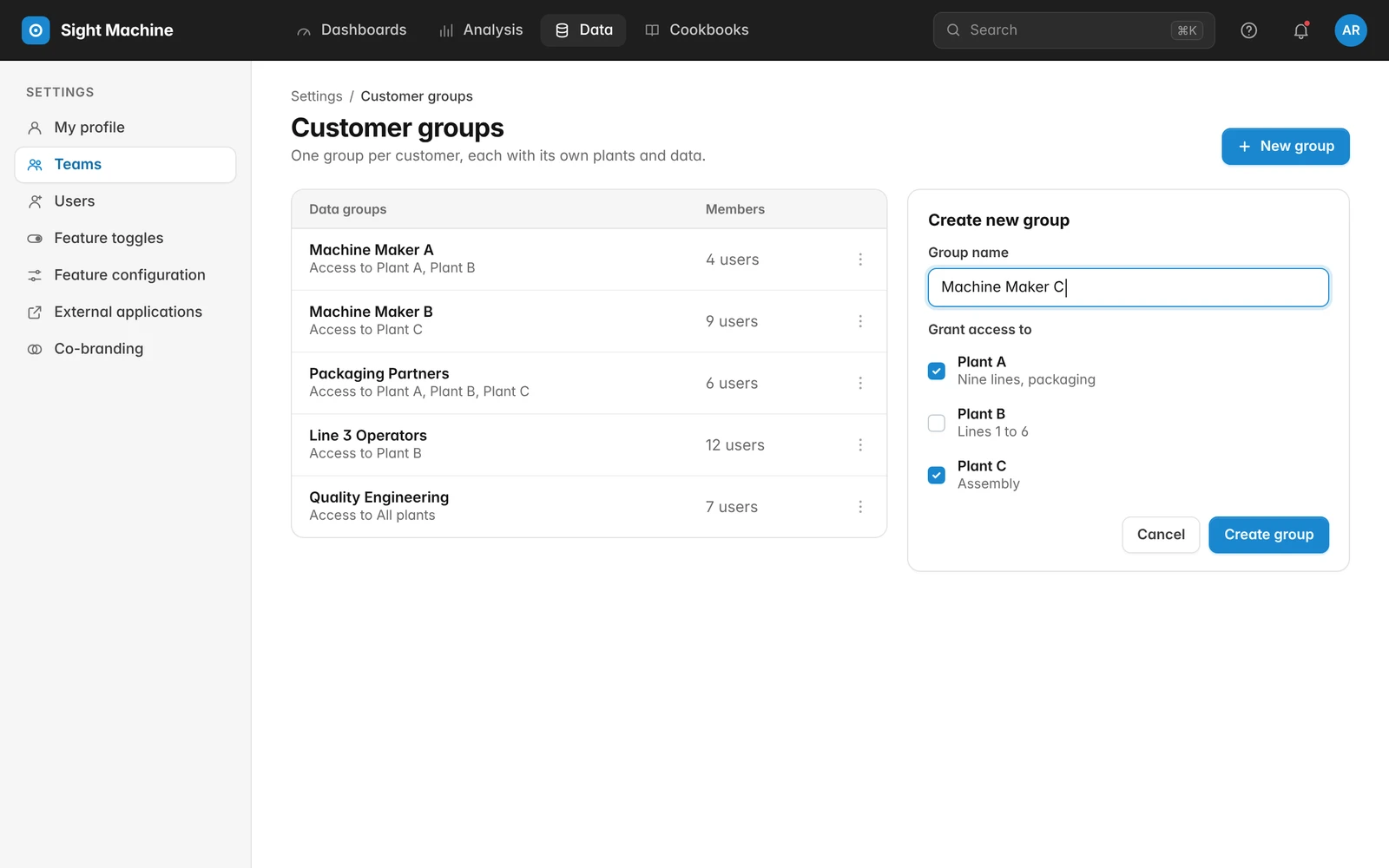
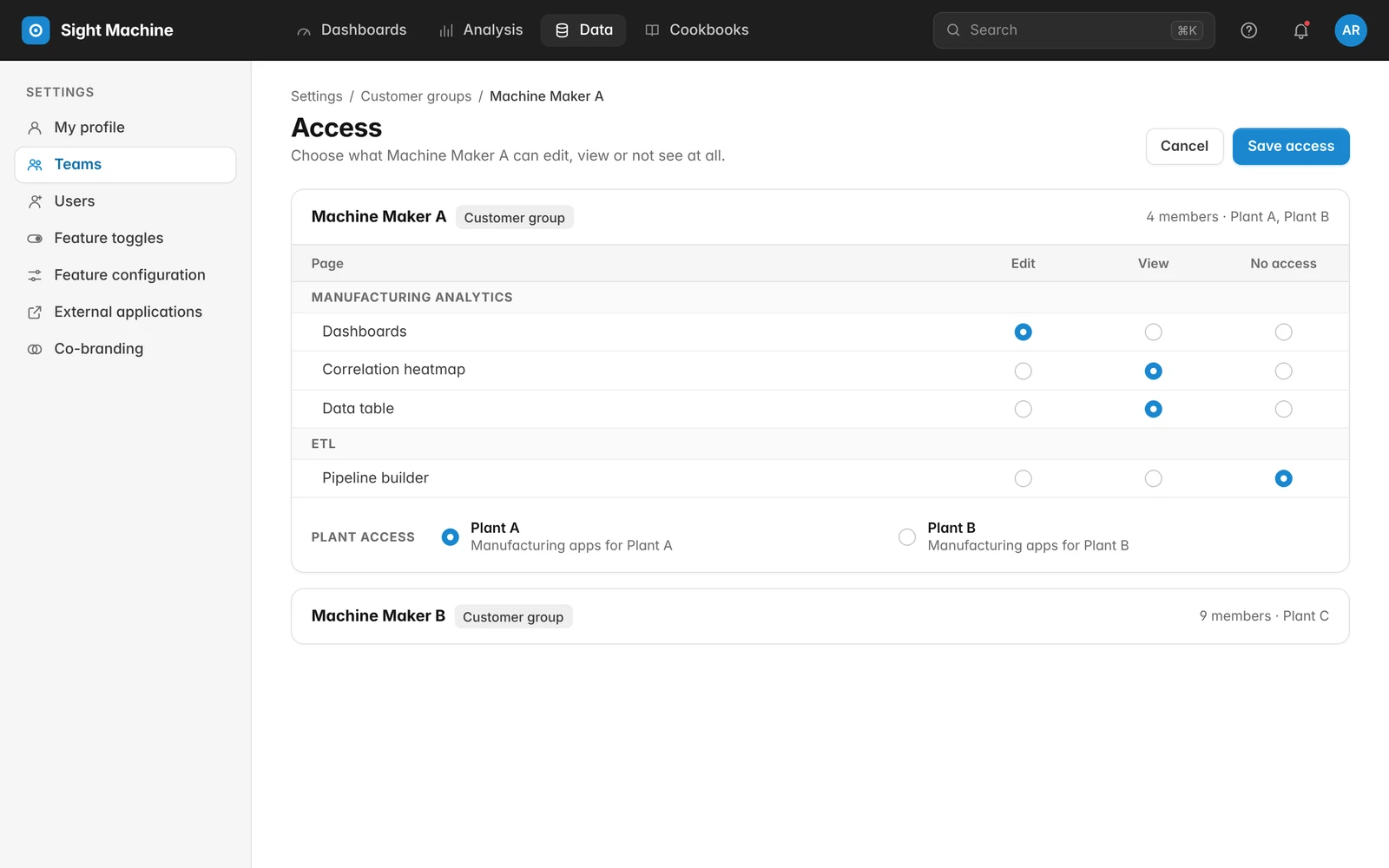
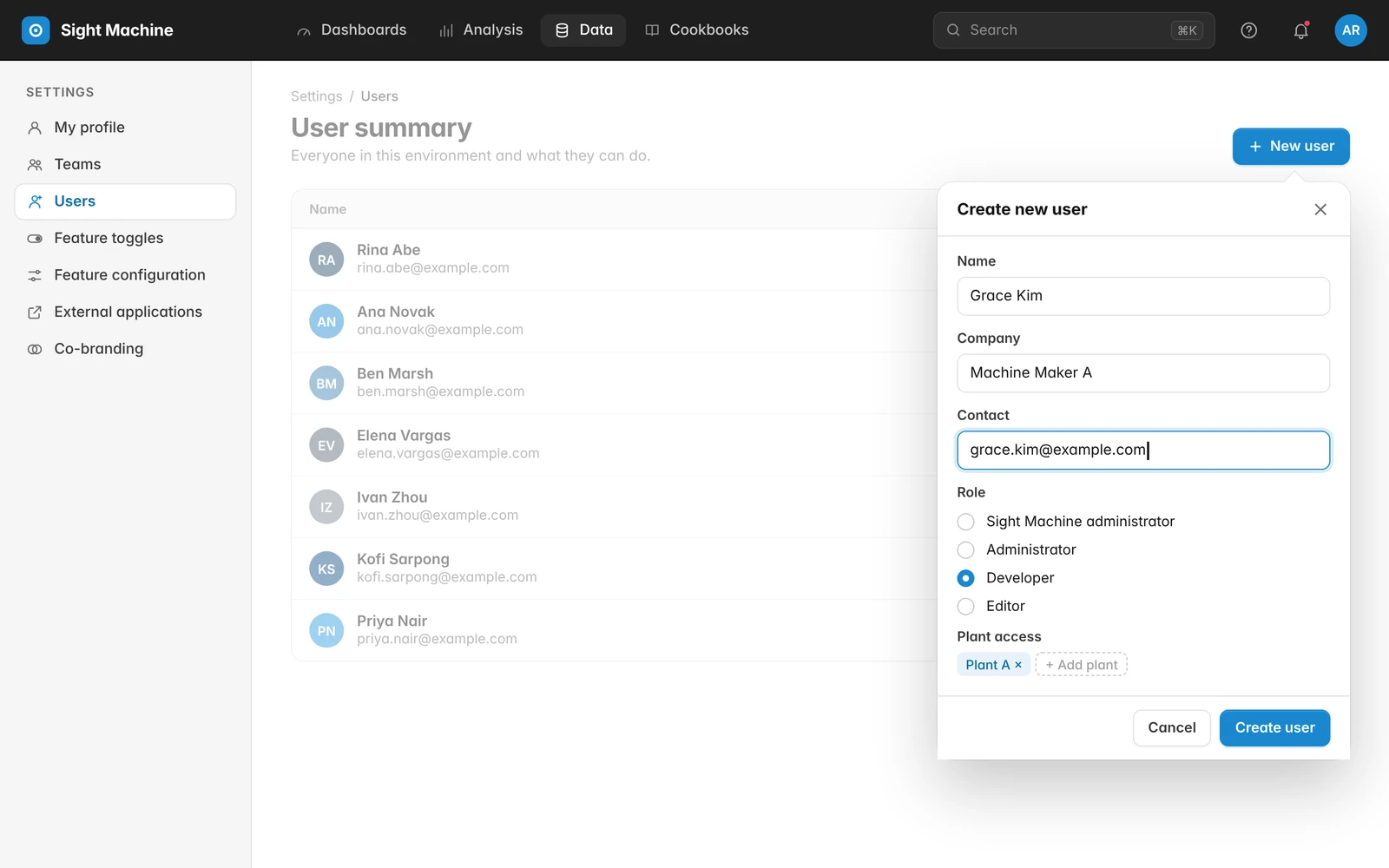
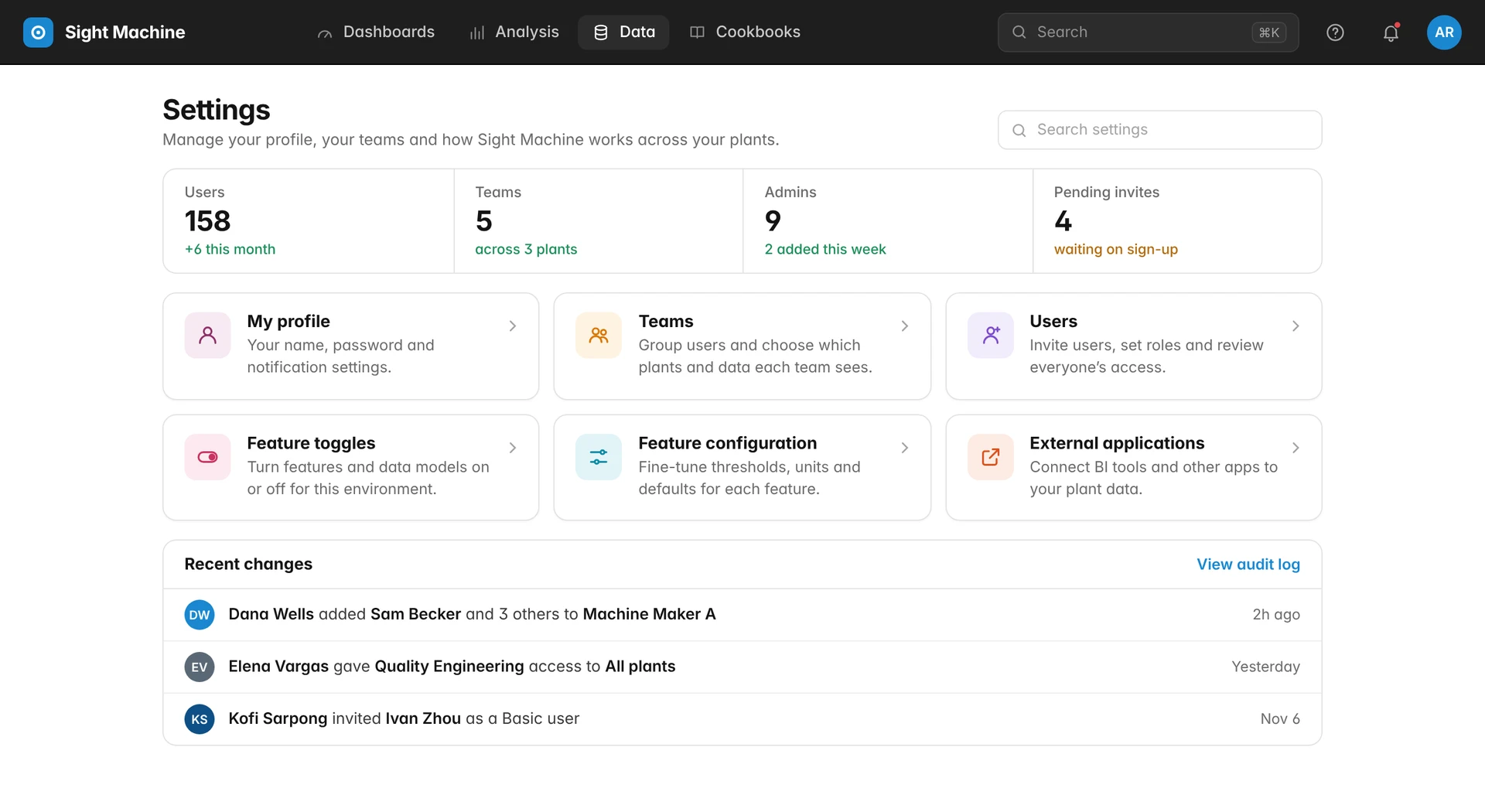
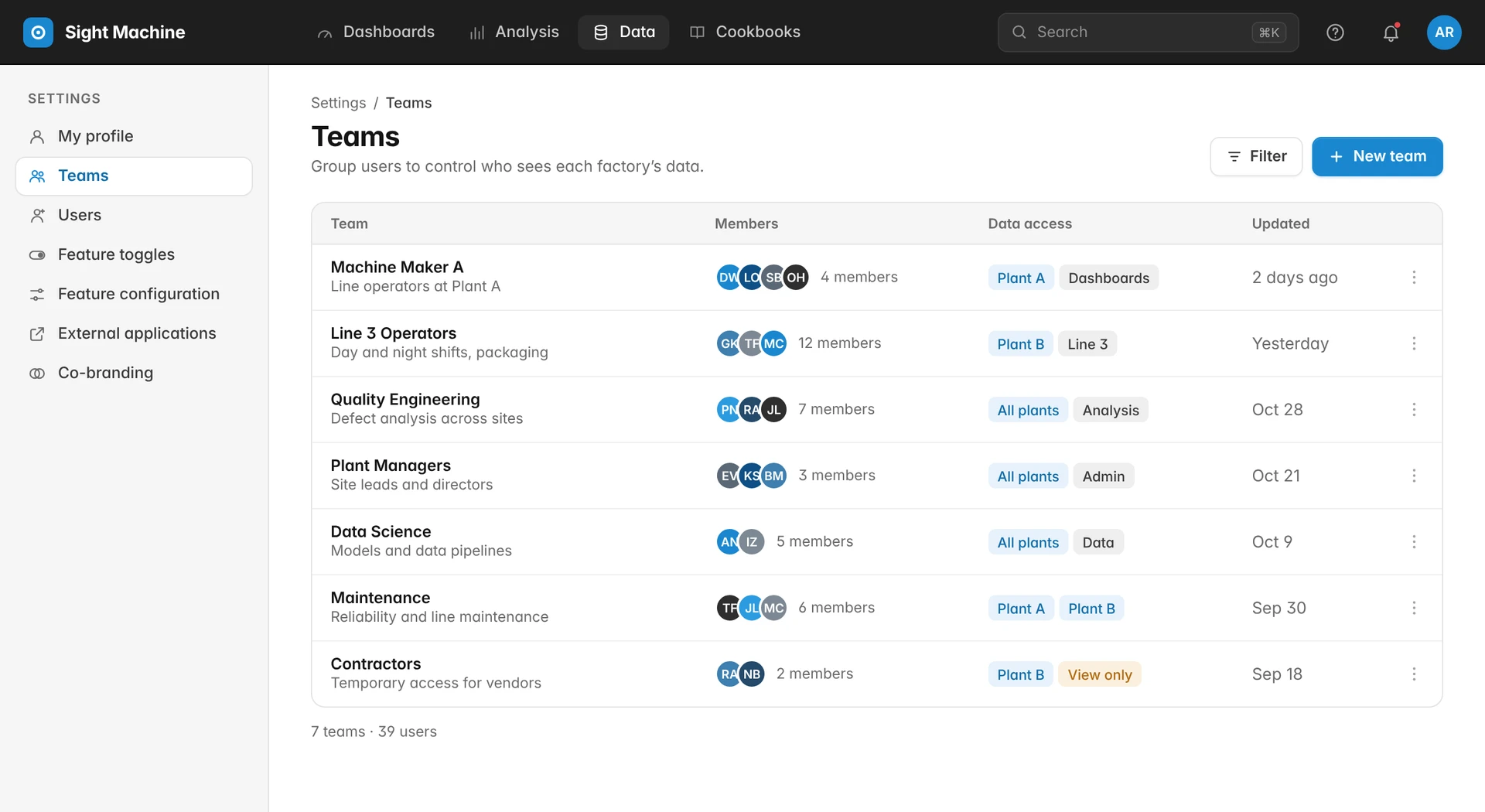
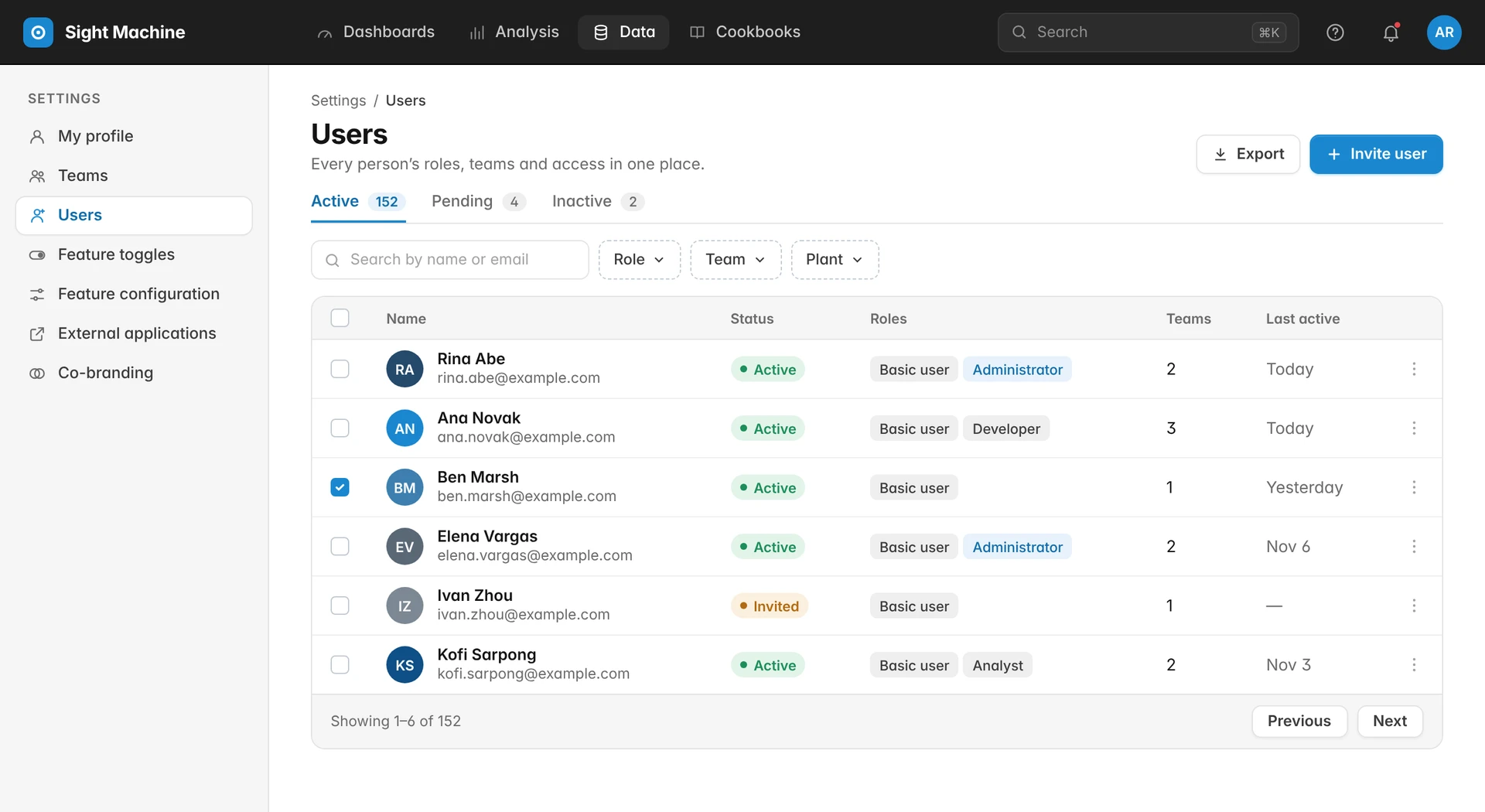
I designed one settings home where machine makers can create a team for each customer, add users, and set exactly which plants and data each team can see.
Access control now lives alongside the rest of the platform settings, so admins can manage everything in one place.
Process
Co-design with machine makers
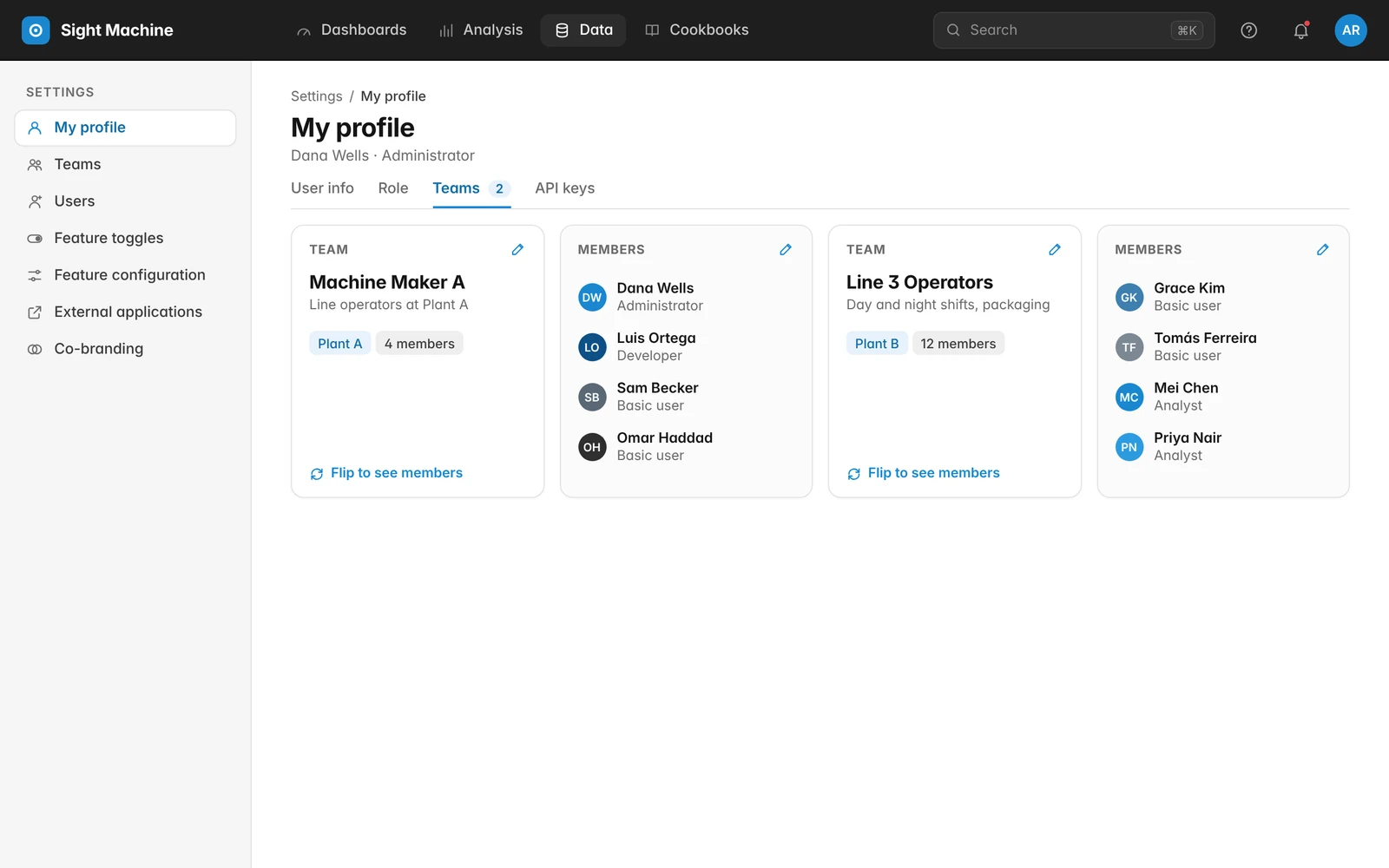
I tested a few concepts with machine makers, including customer groups, access cards, flippable team cards and a pop-over for adding users. These sessions also showed us where the flow between pages broke down.
One home for settings
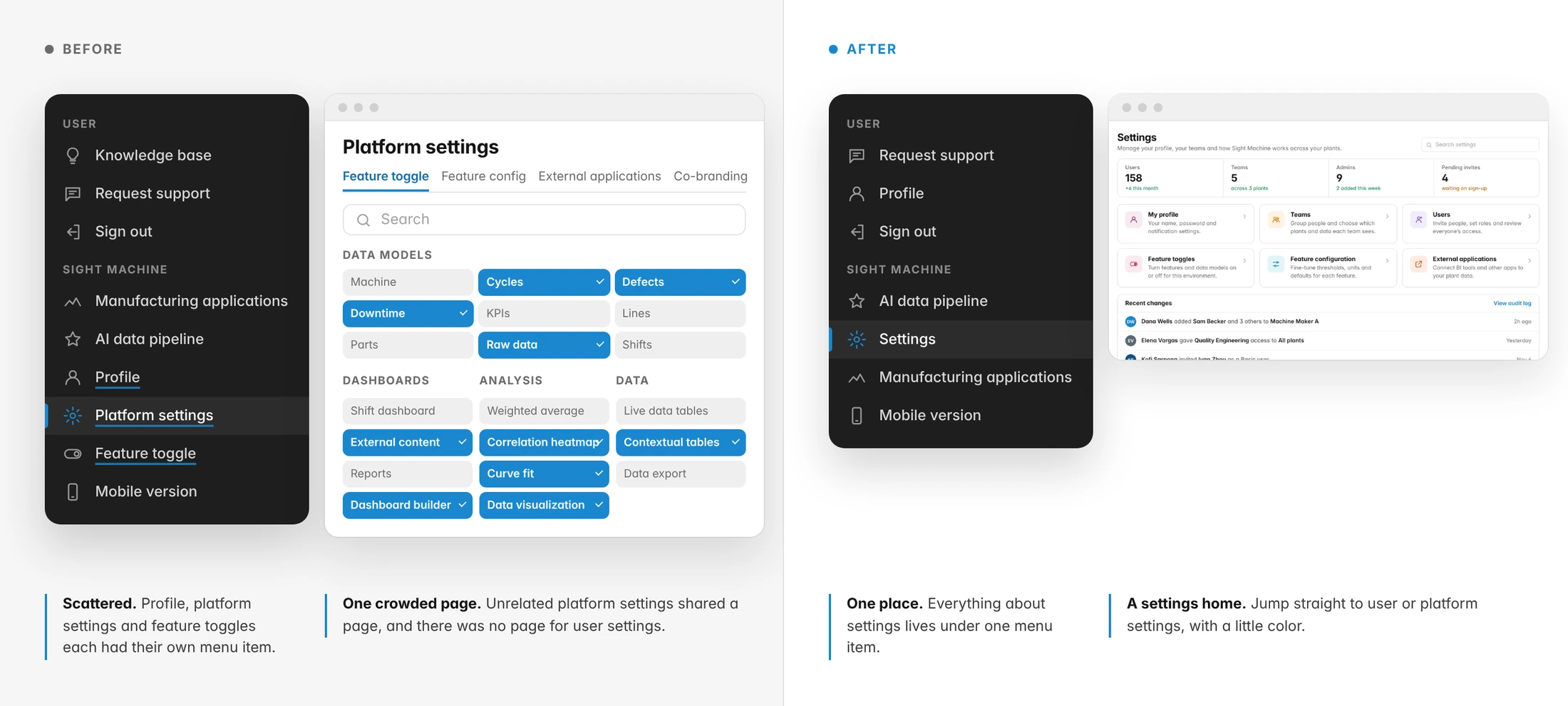
Before, unrelated settings were all on one page and there were no user settings at all. I created a settings landing page that sends you to profile, users, teams, feature toggles and more.
Creating a team
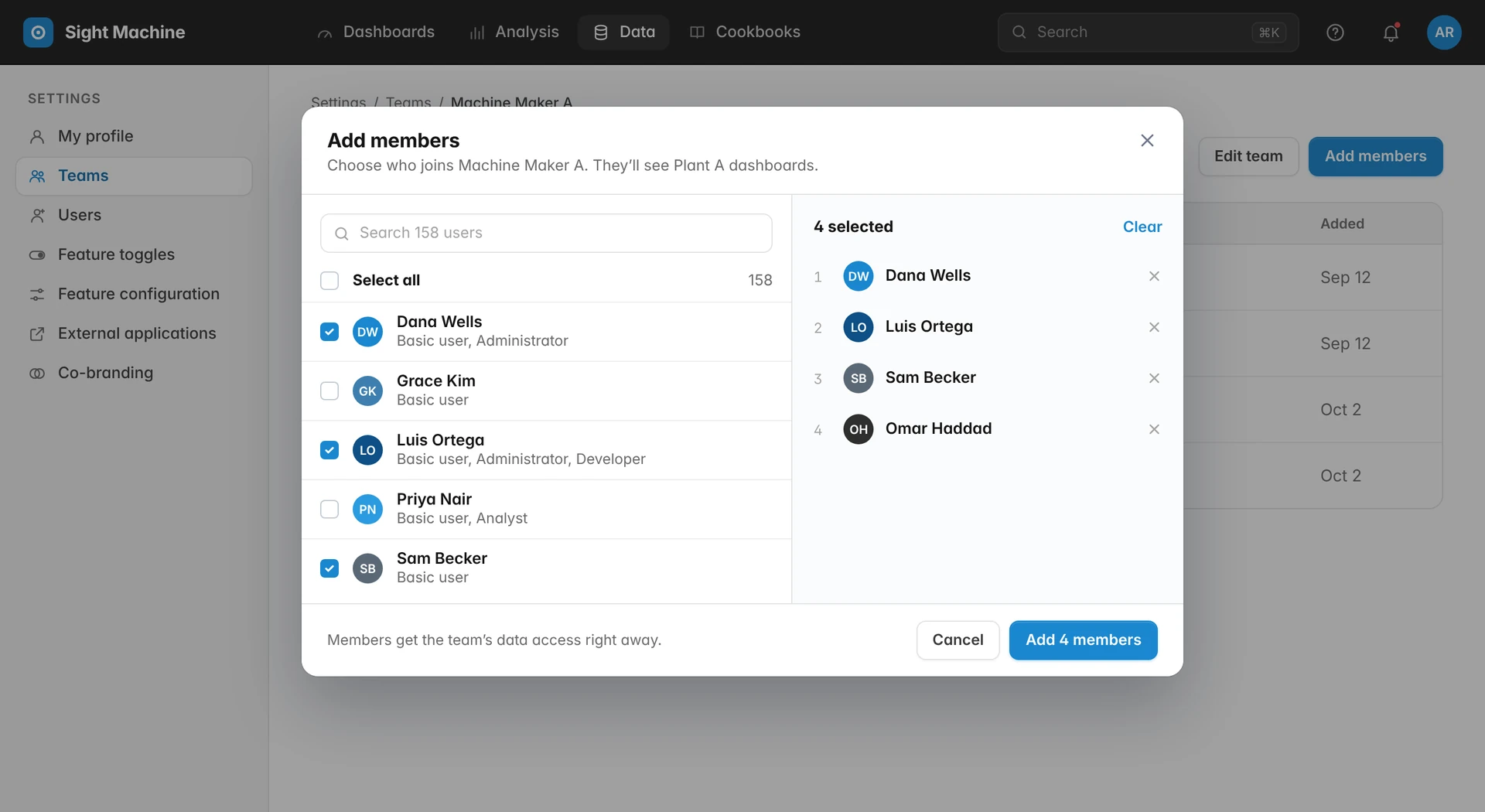
Admins can name the team in place, add members with contextual search, and see who’s selected before applying changes.
The design
Teams, members, and permissions in one place.
Machine makers build teams for each customer, assign roles and permissions, and manage every group from a single environment.
More case studies
All work →